IDE Setup
System Requirements:
- Node.js 20.12.2 or later.
Package Manager
We use pnpm to handle npm packages. Install pnpm using Corepack .
Make sure to have Node.js installed. Enable Corepack by running:
Terminal
corepack enable pnpmYou can pin the version of pnpm used on your project using the following command:
Terminal
corepack use pnpm@latestVSCode
Install the latest stable release of Visual Studio Code for your operating system.
Extensions
Always open the root project folder in VSCode to ensure all configurations are loaded correctly.
Required extension when working with React in our monorepo.
| Extension | Description |
|---|---|
| ESLint | Find and fix problems in your JavaScript code. ESLint statically analyzes your code to quickly find problems. It is built into most text editors and you can run ESLint as part of your continuous integration pipeline. |
| Prettier | An opinionated code formatter. |
| EditorConfig | EditorConfig helps maintain consistent coding styles for multiple developers working on the same project across various editors and IDEs. |
Recommended extensions.
| Extension | Description |
|---|---|
| DotENV | Support for dotenv file syntax. |
| Code Spell Checker | A basic spell checker that works well with code and documents. |
Settings
The following VSCode settings are recommended. Use the settings.json file or the UI to configure.
Prettier as default formatter

settings.json
"editor.defaultFormatter": "esbenp.prettier-vscode",Format on save

settings.json
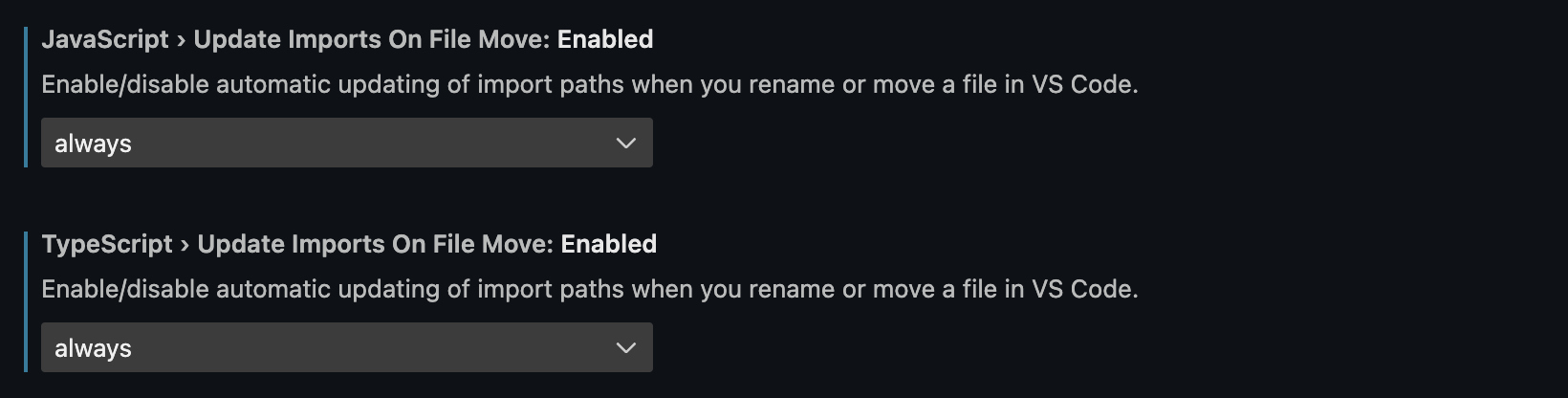
"editor.formatOnSave": true,Automatic update import paths
Automatic updating of import paths when you rename or move a file in VS Code.
settings.json
  "javascript.updateImportsOnFileMove.enabled": "always",
  "typescript.updateImportsOnFileMove.enabled": "always",
Code Actions on save
Run Code Actions for the editor on save.

settings.json
  "editor.codeActionsOnSave": {
    "source.fixAll": "explicit",
    "source.organizeImports": "explicit"
  },
Last updated on